
Changing a process takes a development project, so the team routes around the system with a spreadsheet.

Low-code BPM by KodaSoft
Turn the way you work into software
 is a low-code BPM platform where you model your own processes, run document workflow, automate repetitive steps and keep company data under control. No code required.
The problem
The work your system cannot see is the work that costs most.
A spreadsheet beside the ERP, an approval in email, a file on someone's drive. Small workarounds become a second, undocumented flow: uncounted, invisible, and hard to reconstruct when a case stalls.
Revenue Risk Matrix


Sheets
Opero
The same record lives in three places and is authoritative in none of them.
An invoice waits a week in an inbox because nobody knew it was their step.
The board report is assembled by hand and is already out of date the day it is sent.

Opero adapts to the way your company works.
Instead of fitting the company to predefined modules, you design your own objects, processes and views in visual configuration. Data, document workflow, automation and permissions all stay in one system.
Model your own data with objects, fields, relations and forms.
Route documents through approval, with file versions kept on the case.
Automate repetitive steps while roles, permissions and the event log keep control in place.
What Opero can do
A low-code foundation for processes that keep changing.
Opero works as your company's operating layer: the data model, processes, document workflow, automation, reports and permissions stay connected instead of becoming more separate tools.
Open value / Weighted / Deals
Pipeline health
Deals by stage
Design without code
No-code configuration: you assemble custom objects, fields, forms, layouts and menus visually, shaping them around how the company actually works.
- Custom objects and modules
- More than 20 field types
- Forms and layouts
- Dictionaries and custom lists
CaseOwnerStatusDay
Invoice #1042MartaIntake2
Onboarding kitTomekDoing12
Coffee budgetAniaDone17
Vendor NDAPiotrDoing27
Office plantsMartaIntake31
IntakeInvoice #1042Marta · day 2Office plantsMarta · day 31
DoingOnboarding kitTomek · day 12Vendor NDAPiotr · day 27
DoneCoffee budgetAnia · day 17
1234567891011121314151617181920212223242526272829303132333435InvoiceOnboardingCoffeeVendorOffice
Same data, different angles
Everyone works from the same records, but each role needs a different lens. Shape tables, boards and timelines around the workflow instead of forcing one view on every team.
- Customisable tables with advanced grouping and formatting
- Flexible kanban boards
- Convenient calendars and Gantt charts
- Role-specific views, filters and layouts
€499
Invoice receivedNew record
Check amountLess than €1000?
€499<€1000Auto approveUnder limit
Manager reviewOver limit
Automate anything
Build rules around the way your company actually works: approvals, notifications, integrations and edge-case logic. Opero handles simple handoffs and complex exceptions in one governed system.
- Flexible rules engine for virtually any automation
- Workflow system that keeps processes under control
- Integrations with the tools your teams already use
- AI assistant and API for custom operations
Stay in control
Permissions reach down to a single field, and integrations keep regulatory compliance inside the same system.
- Roles and field permissions
- Many companies in one org
- KSeF and e-Delivery
- API tokens, MFA and logs
How it works
How KodaSoft turns your process into Opero.
Every cooperation starts with understanding the company, not with switching on software. We analyse the real workflow, configure Opero around it, bring the team into the system and keep improving it with live feedback.
Book a demo- 01
Analyse
Gather requirements, map the process, name the pain points and see where data, documents and decisions currently break down.
- 02
Model the solution
Translate that analysis into Opero: custom objects, fields, views, workflows, permissions, reports and integrations.
- 03
Onboard the team
Launch the first working process, train the people who use it and make sure each role sees the views and tasks they need.
- 04
Iterate and improve
Use real work to refine the configuration, add automation, adjust reports and expand Opero into the next process.
Integrations
Connect Opero with the services around your process.
Opero can exchange data with public registries, delivery channels, signatures and the tools your team already uses. Start with the integrations you need today and add more as the process grows.

Structured invoice exchange prepared for Polish financial workflows.


Blog
Latest from the blog.
Notes from the team building Opero on process design, workflow automation and running BPM in real operations.
Who in the company should be able to change a process
A change to the system can be made by the vendor or by your own company. Both models compared across four dimensions, plus a list of what an analyst reconfigures in Opero without a developer.Low-Code i No-Code4 min readComments on the record. The chronology of one complaint
One complaint from Monday to Friday, and half a year later. Where the agreements land in Opero: a comment on the record, a mention with a notification, a reaction, and a comment required on a process transition.System Opero4 min readThe company grew from 20 to 50 people. Three moments when e-mail approvals stopped working
E-mail approvals do not fail all at once. They fail at twenty, thirty and fifty people, in a different place each time. Follow the same company and the same purchase order through three moments of growth, and see what a process in Opero makes of each one.Procesy i obieg dokumentów4 min readNotifications. How do you know a deadline will pass before anyone finds out?
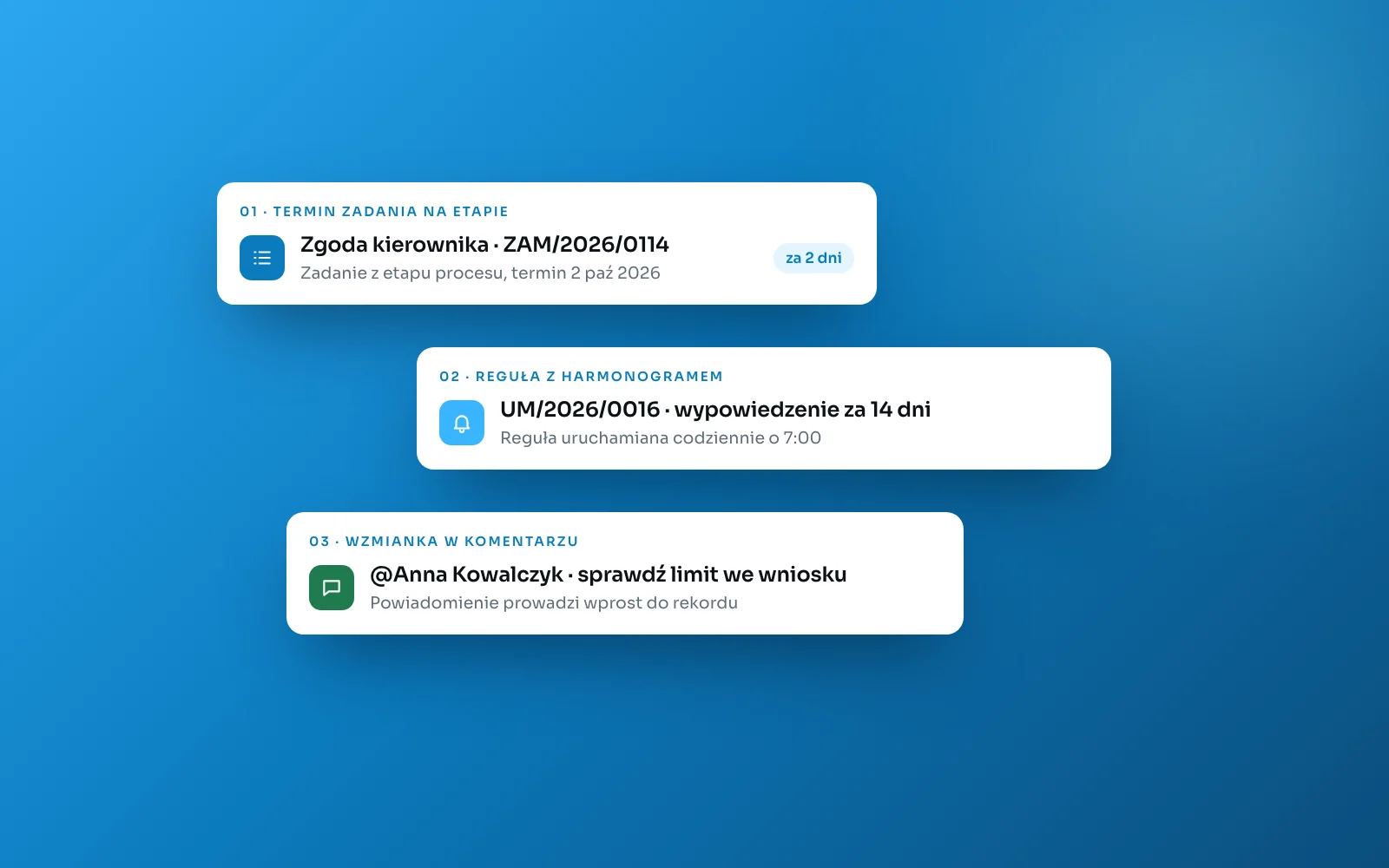
A date in a field notifies nobody. Opero sends three kinds of signal: a task due date on a process stage, a scheduled rule and a mention notification. Each one is triggered by something different.System Opero4 min read

Start with the process
Build software around how your company actually works.
Show us one process that lives in email and spreadsheets today. You will see what it looks like in Opero.